
Write, preview and organize your structured text files with real-time rendering, precise syntax highlighting and tools that accelerate your workflow — on desktop and mobile.
Not to impress in a demo.
Like working with more than one file at a time?
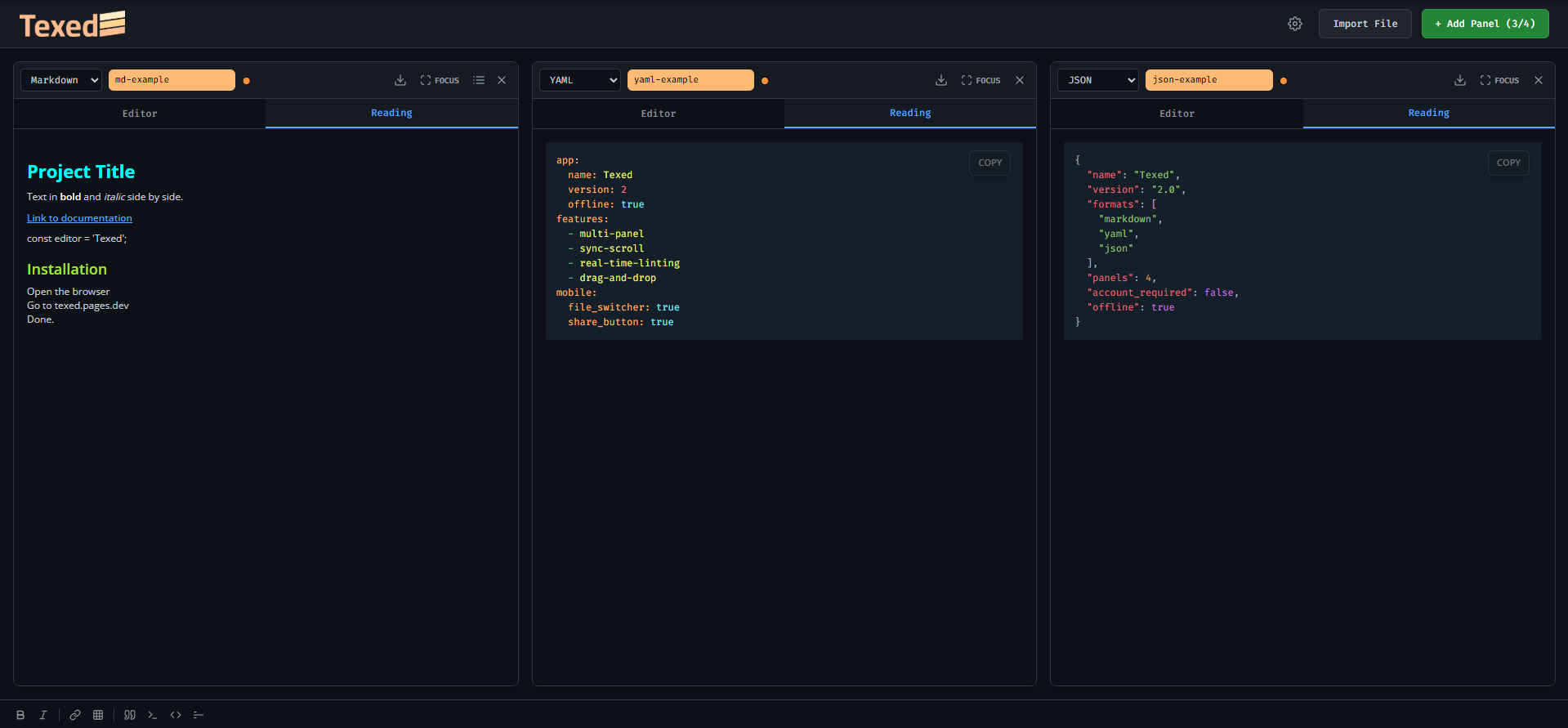
With Texed you open up to 4 files side by side in the same window. Compare a production JSON with a staging one without switching tabs. Check your Markdown docs while editing a YAML config. No context switching. No window juggling.
Tired of copy-pasting just to see how it looks?
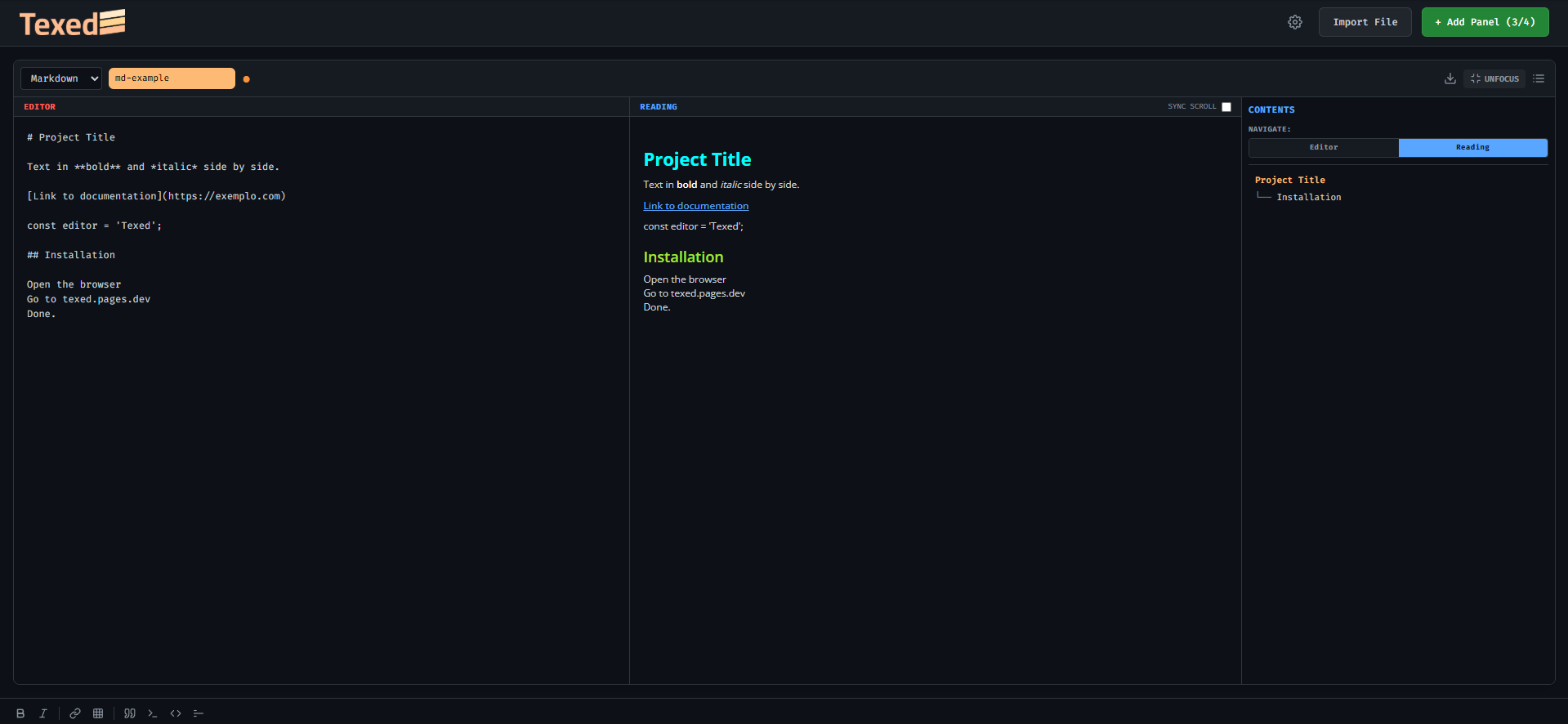
Texed renders your content in real time as you type. Write on the left, see the result on the right. Markdown with full formatting, JSON with precise highlighting, YAML with clear structure — all at once, no page reload needed.
Work on mobile but refuse to sacrifice organization?
On Texed mobile you manage up to 4 files in your pocket. Switch between them with a tap, share content directly through the system share sheet, and use icon-based formatting shortcuts — no CTRL required.
Waste time on table and link syntax?
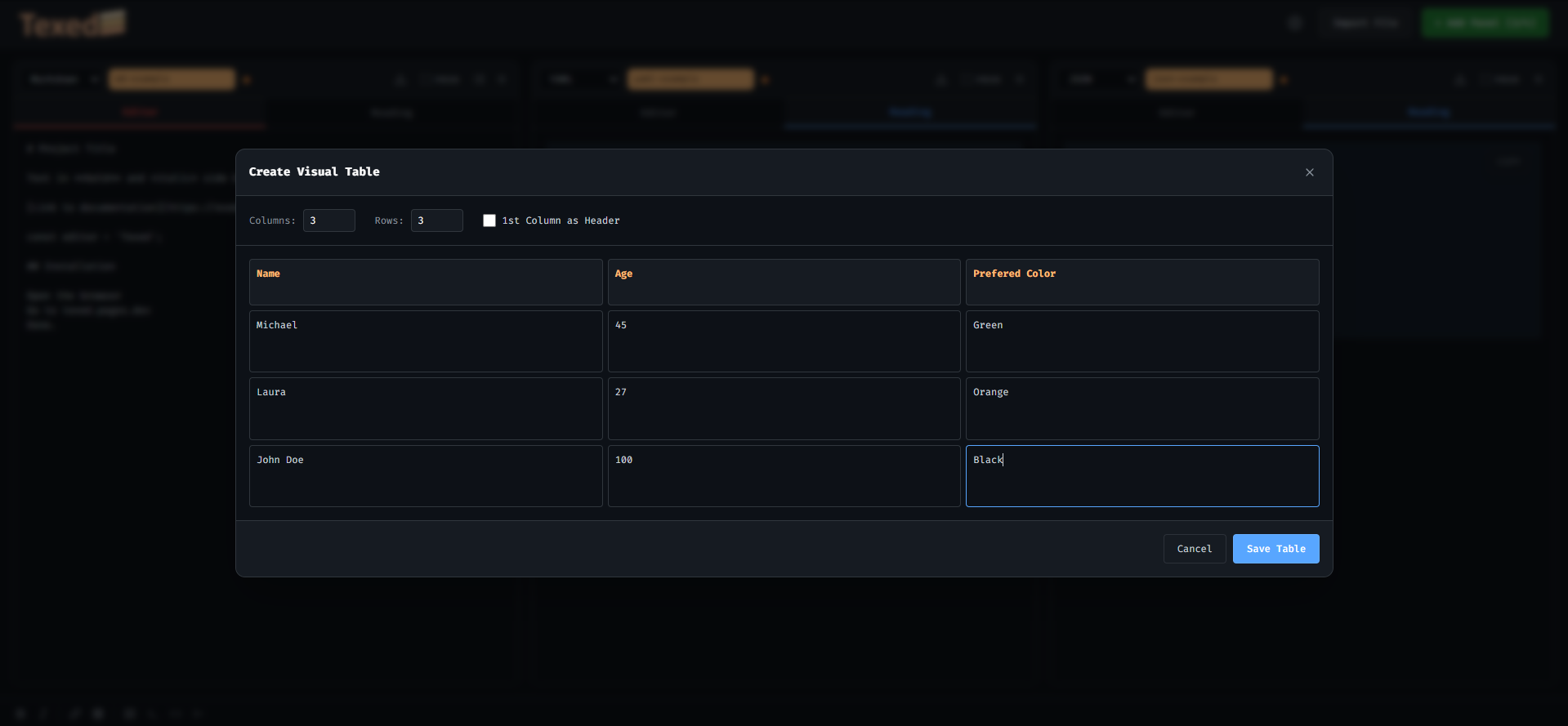
With Texed's visual shortcuts you build tables in an interactive grid and insert links in a quick modal. No need to memorize pipes, hyphens, brackets or parentheses. Type //t, //l or tap the icon and you're done.
Want a professional tool without signing up?
Zero account. Zero cloud. Zero install. Texed runs in the browser and saves everything locally on your device. Open the browser and everything is right where you left it.
In real time.
Nothing you don't.
Markdown, YAML and JSON with precise syntax highlighting. Automatic file type detection.
Up to 4 simultaneous files in side-by-side columns. Compare, reference, cross-check — all in the same window.
Write on the left, read on the right. Focus mode splits the screen and updates with every keystroke.
Drag .md, .json, .yaml or .yml files directly into the window. Opens in the right panel, automatically.
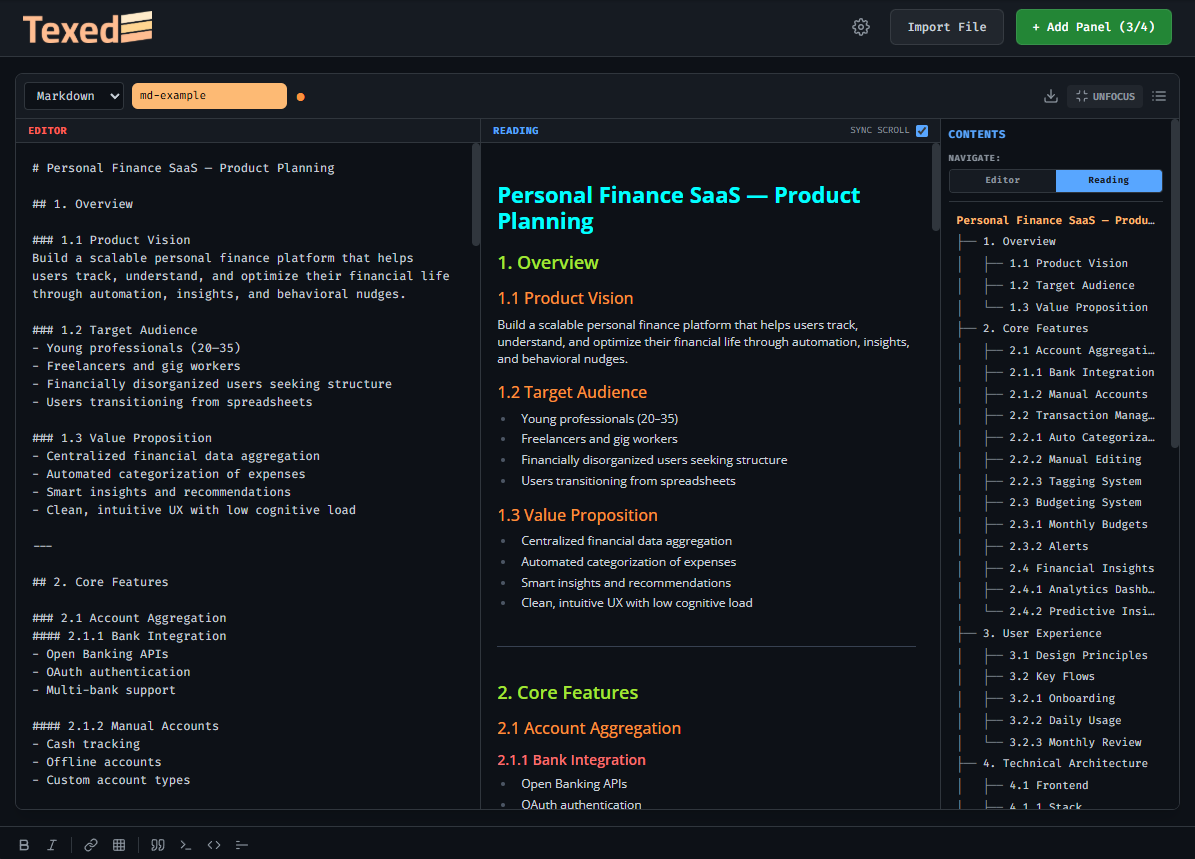
Automatic tree-style outline built as you write. Click a heading and jump straight to it.
Editor and preview scroll together, proportionally, in any direction. Bidirectional and smooth.
Clickable icons in the footer: bold, italic, link, table, quote, inline code, code block and horizontal rule.
Modal to insert code with a language selector — JS, Python, CSS, SQL and 20+ options. Automatic highlight by type.
For JSON and YAML: validates as you type and shows the exact error below the editor, 300ms after the last keystroke.
An orange dot appears next to the file name when content has been modified and not yet downloaded.
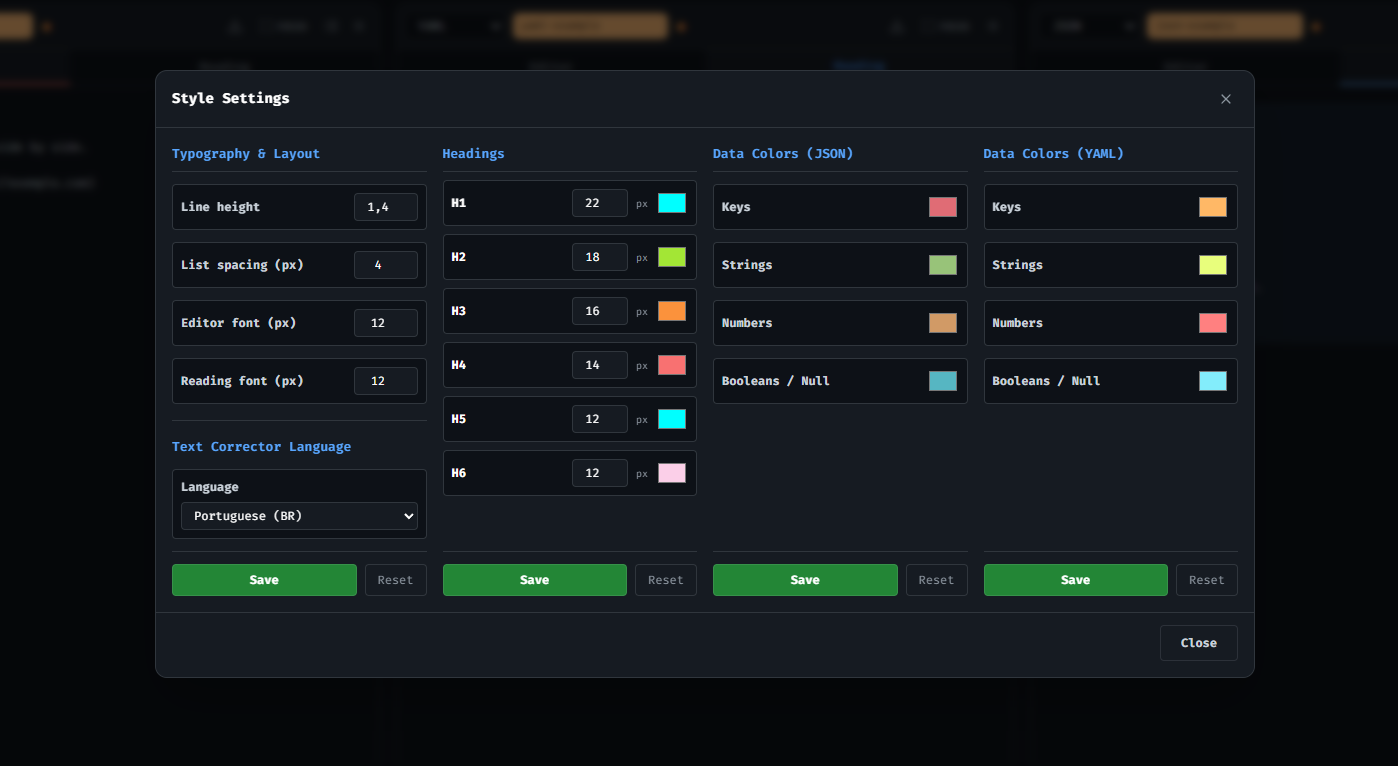
4 separate columns: Typography, Headings, JSON Colors and YAML Colors — each with its own Save and Reset.
Close the browser. Come back tomorrow. It's all there. Auto-saved, no account, no cloud, no risk.
# Project Title

**Bold text** and *italic* side by side.

[Link to documentation](https://example.com)

```javascript
const editor = 'Texed';
```

## Installation

- Open your browser
- Go to texed.pages.dev
- **Done.**
app:
  name: Texed
  version: 2.0
  offline: true

features:
  - multi-panel
  - sync-scroll
  - real-time-linting
  - drag-and-drop

mobile:
  file_switcher: true
  share_button: true
{
  "name": "Texed",
  "version": "2.0",
  "formats": [
    "markdown",
    "yaml",
    "json"
  ],
  "panels": 4,
  "account_required": false,
  "offline": true
}
As you write.
As you type headings (# H1, ## H2...), the Navigator automatically builds a tree-style index with clickable links. Click a title and scroll straight to it — in both the Editor and Reading panels. Nothing to configure.
Visual and keyboard shortcuts that work together.
Visual modal with interactive grid. Define columns, rows and content — Markdown generated automatically.
Type text and URL. Syntax [text](url) generated and inserted at cursor.
Opens the code modal with a language selector. Automatic highlighting in the preview.
Adds > at the start of the current line. Works on multiple selected lines.
Inserts --- to separate sections of the document.
Applies or removes bold from selected text. Smart toggle.
Applies or removes italic from selected text. Smart toggle.
All shortcuts visible in the footer as clickable icons. Ideal for mobile and mouse users.
Type //t and an interactive grid opens instantly. Define columns, rows and content — Markdown is generated and inserted at the cursor. No pipes, hyphens or spacing to memorize.
The footer bar brings together bold, italic, link, table, quote, inline code, code block and horizontal rule — all clickable. On desktop it complements keyboard shortcuts; on mobile it's the primary way.

Not rushed into it.
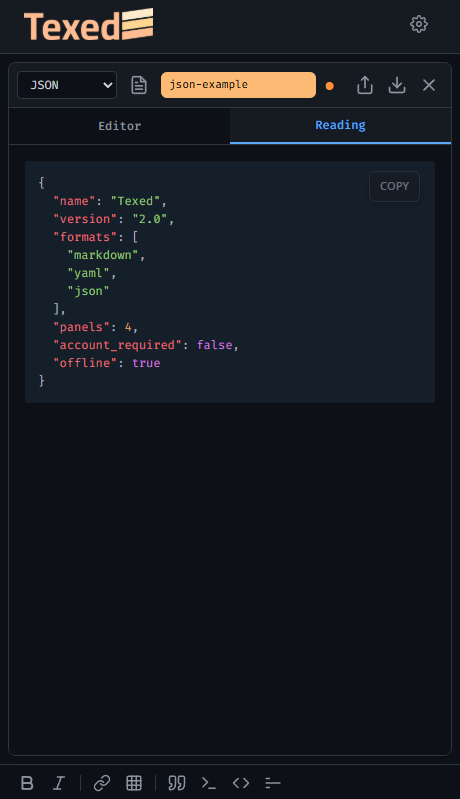
Up to 4 files open on mobile. One tap on the icon opens the file drawer — switch, create or close without leaving the editor.
The share button opens the native iOS or Android menu. Send content directly to WhatsApp, email, Notes or any installed app.
No CTRL, no keyboard shortcut. Tap the icon in the footer and formatting is applied at the cursor. Enlarged touch area for fingers of all sizes.
The outline slides in from the right covering 85% of the screen. Tap a heading to navigate and the panel closes automatically.
Real-time JSON and YAML validation works the same on mobile. Error in red right below the editor, 300ms after the last keystroke.
Icons 20% larger. Buttons with generous touch areas. Elements that don't make sense on mobile — like Focus Mode — simply don't appear.
Close the browser. Come back tomorrow. It's all there. Auto-saved in the browser on every keystroke.
Zero account. Zero cloud. Zero sync. Your data never leaves your device.
Opens in the browser, works offline. No app to download, no extension required.